סיפור התינוק

Login

Don't have an account?

My Children

📝

Note for today

📅

Today's Events

📊

Day Summary

📚

History

📊

Day Summary

📅

Calendar

Closure
Absence
Holiday
📬

Messages

📨

Invitation

Generate a code to invite a metapelet

👶

Information

✏️

Edit Child

👩‍⚕️

Metapelets

👶

Information

Calendar

📅

Calendar

Closure
Absence
Holiday

Messages

📬

Messages

Settings

Language
Username
Role
Notifications

Subscription

Payment History

Guide

1
Add a child

Add a child

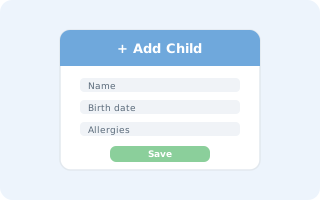
Click "Add Child" on the main screen, fill in your child's information (name, birth date, allergies...) and save. Your child will appear on your dashboard.

2
Invite a caregiver

Invite a caregiver

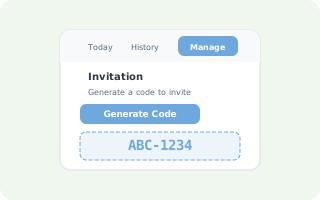
Open your child's page, go to the "Manage" tab, then click "Generate Code". Share this code with the caregiver so she can link to your child.

Contact

🔒

Trial Period Ended

You have used your free trial days

Subscribe to access all your child's history

Welcome to Tinoki!

Track your child's daily routine — meals, sleep, activities — and so much more!

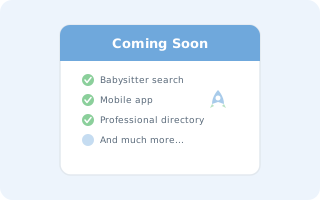
Coming soon

  • Babysitter booking
  • Caregiver registration
  • Dedicated mobile app
  • Ongoing bug fixes

Got an idea? Share it with us via Contact!

Simple, transparent pricing

Try it free for 3 days, no strings attached. After that, it's just 10 ₪/month — cancel anytime, in one click.

Contact

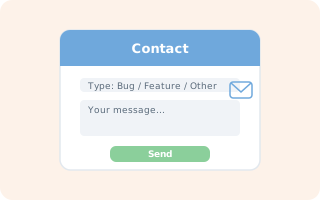
If you encounter a problem, a bug, or have a suggestion for a feature or change, go to the Contact page.

Add a child

Click "Add Child" on the main screen, fill in your child's information and save.

Invite a caregiver

Open your child's page, go to the "Manage" tab, then click "Generate Code".